
Udyam Adhar Registration Related Poster Details
⚠️ Disclaimer:
यह पोस्टर केवल सामान्य जानकारी प्रदान करने के उद्देश्य से बनाया गया है।
हम यह सुनिश्चित नहीं करते कि ऊपर दी गई सभी जानकारी पूर्णतः सही, सटीक एवं समयानुसार अपडेट हो।
संबंधित विभाग समय-समय पर अपनी आधिकारिक वेबसाइट पर जानकारी में बदलाव कर सकते हैं।
यह वेबसाइट किसी भी सरकारी विभाग, बैंक, संस्था या संगठन की आधिकारिक वेबसाइट नहीं है।
सभी योजनाओं, लोगो, नाम एवं ट्रेडमार्क का अधिकार उनके संबंधित विभागों एवं संस्थाओं के पास सुरक्षित है।
किसी भी आवेदन, पंजीयन या सेवा का लाभ लेने से पहले संबंधित विभाग की आधिकारिक वेबसाइट या कार्यालय से जानकारी अवश्य सत्यापित करें।
🧠 Udyam Adhar Registration / Banner Generation Prompt
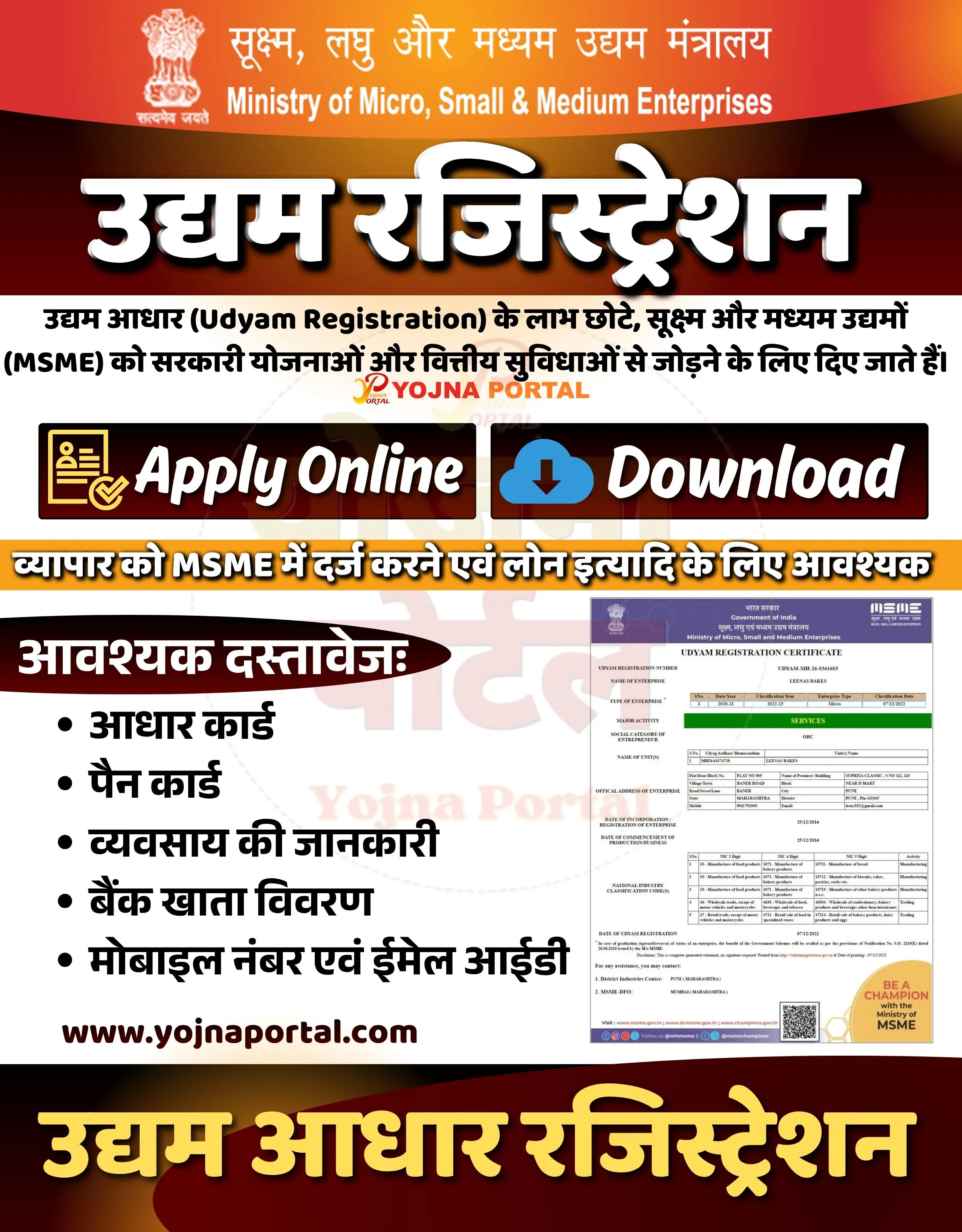
Create a professional Indian government-style informational banner in a landscape format (approx. 1280x800).

BACKGROUND:
Use a smooth gradient background transitioning from bright orange at the top to deep red at the bottom, with subtle light glow effects and soft abstract curves for depth. Add a faint watermark-style circular emblem in the center background (very low opacity).

TOP SECTION:
At the top, place the Government of India emblem (Ashoka Lion Capital) aligned slightly left.
Next to it, display Hindi text in white:
“सूक्ष्म, लघु और मध्यम उद्यम मंत्रालय”
Below it, in smaller white English text:
“Ministry of Micro, Small & Medium Enterprises”
Use clean, official sans-serif fonts, centered horizontally.

MAIN HEADLINE:
In the center, very large bold Hindi text with white fill and thick black shadow:
“उद्यम रजिस्ट्रेशन”
Make it highly prominent with strong 3D drop shadow effect.

SUBTEXT LINE:
Below headline, add a descriptive Hindi sentence in black:
“उद्यम आधार (Udyam Registration) के लाभ छोटे, सूक्ष्म और मध्यम उद्यमों (MSME) को सरकारी योजनाओं और वित्तीय सुविधाओं से जोड़ने के लिए दिए जाते हैं।”

Add a faint “YOJNA PORTAL” watermark logo behind this text.

BUTTON SECTION (CENTER):
Create two rectangular glossy buttons side by side:

LEFT BUTTON:
Dark red gradient box with white border
Include an icon of a form with a checkmark (yellow)
Text in large white font: “Apply Online”

RIGHT BUTTON:
Dark red gradient box
Include a blue cloud download icon
Text in large white font: “Download”

Both buttons should have slight shadow and rounded corners.

MID HIGHLIGHT STRIP:
Below buttons, add a bright yellow/orange strip with bold black Hindi text:
“व्यापार को MSME में दर्ज करने एवं लोन इत्यादि के लिए आवश्यक”

LEFT CONTENT (DOCUMENTS):
Create a dark maroon rounded box on left side with heading in white:
“आवश्यक दस्तावेज:”

Below it, list bullet points in Hindi with white text:
• आधार कार्ड
• पैन कार्ड
• व्यवसाय की जानकारी
• बैंक खाता विवरण
• मोबाइल नंबर एवं ईमेल आईडी

RIGHT CONTENT (CERTIFICATE):
On the right side, place a realistic image of an MSME Udyam Registration Certificate (white document with purple header and table content). Keep it slightly tilted or straight with shadow.

FOOTER TEXT:
Below left content, in bold dark text:
“www.yojnaportal.com”

BOTTOM SECTION:
At the very bottom, create a large bold Hindi text in yellow with black outline:
“उद्यम आधार रजिस्ट्रेशन”

STYLE & TYPOGRAPHY:
Use bold, सरकारी-style fonts for Hindi headings
Use clean sans-serif fonts for English text
Maintain strong contrast (white/yellow text on red/orange background)
Add subtle shadows and glow for emphasis

LAYOUT:
Top header → Center headline → Description → Buttons → Highlight strip → Two-column layout (documents + certificate) → Footer → Bottom title

Ensure perfect spacing, alignment, and professional government poster aesthetics.
WhatsApp Telegram YouTube Facebook Instagram X (Twitter)