
Digital Caste Certificate (OBC / SC / ST)
Apply, Correction and Download services available for Madhya Pradesh caste certificate


MP Caste Certificate Related Poster Details
⚠️ Disclaimer:
यह पोस्टर केवल सामान्य जानकारी प्रदान करने के उद्देश्य से बनाया गया है।
हम यह सुनिश्चित नहीं करते कि ऊपर दी गई सभी जानकारी पूर्णतः सही, सटीक एवं समयानुसार अपडेट हो।
संबंधित विभाग समय-समय पर अपनी आधिकारिक वेबसाइट पर जानकारी में बदलाव कर सकते हैं।
यह वेबसाइट किसी भी सरकारी विभाग, बैंक, संस्था या संगठन की आधिकारिक वेबसाइट नहीं है।
सभी योजनाओं, लोगो, नाम एवं ट्रेडमार्क का अधिकार उनके संबंधित विभागों एवं संस्थाओं के पास सुरक्षित है।
किसी भी आवेदन, पंजीयन या सेवा का लाभ लेने से पहले संबंधित विभाग की आधिकारिक वेबसाइट या कार्यालय से जानकारी अवश्य सत्यापित करें।
🧠 MP Caste Certificate / Banner Generation Prompt
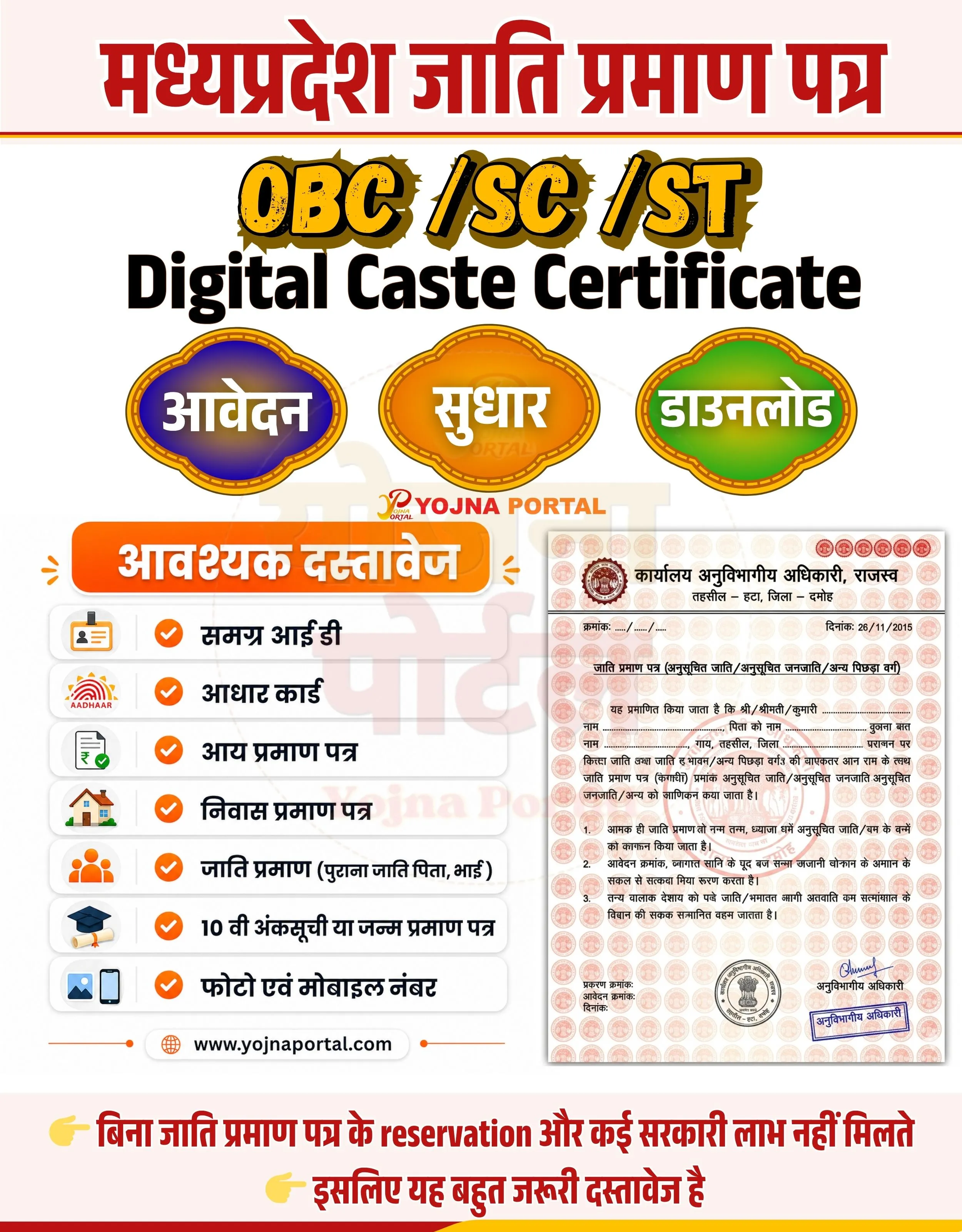
Create a highly detailed Indian government-style informational banner in portrait format (approx. 1000x1280).

BACKGROUND:
Use a very light off-white / soft cream background with a subtle clean texture. Keep the design minimal and neat.

TOP SECTION:
At the very top, place a bold red horizontal header strip.
Inside it, add large Hindi text in bold Devanagari font:
"मध्यप्रदेश जाति प्रमाण पत्र"
Text color: deep red (#c40000), with slight shadow or outline for emphasis.
Below it, add a thin golden divider line.

MAIN TITLE SECTION:
Below the header, centered:
Add large stylized text:
"OBC / SC / ST"
Font: bold, thick, slightly grunge/outline style
Color: yellow/orange gradient with black outline and shadow

Below that, add:
"Digital Caste Certificate"
Font: bold sans-serif, black color, large size, centered

SERVICE BUTTONS (CENTER ROW):
Create three oval/rounded glossy buttons horizontally aligned:

Left button:
Color: blue/purple gradient
Text: "आवेदन" (white bold Hindi)
Middle button:
Color: orange gradient
Text: "सुधार"
Right button:
Color: green gradient
Text: "डाउनलोड"

Each button should have:

Gold ornamental border
Soft glow and drop shadow
Slight 3D embossed effect

CENTER BRANDING:
Below buttons, add small logo text:
"YOJNA PORTAL"
with a subtle logo style in orange/red

LEFT SECTION (DOCUMENT LIST):
Create a vertical card panel on the left side.

At the top of this panel:
Rounded orange header label with white bold Hindi text:
"आवश्यक दस्तावेज"

Below it, create a vertical list with light grey rounded boxes:
Each row contains:

Small icon on left
Text in Hindi (black, medium bold)

List items:

समग्र आई डी
आधार कार्ड
आय प्रमाण पत्र
निवास प्रमाण पत्र
जाति प्रमाण (पुराना जाति पिता, भाई)
10 वी अंकसूची या जन्म प्रमाण पत्र
फोटो एवं मोबाइल नंबर

Each item should have:

Orange circular check icon
Clean spacing and alignment

RIGHT SECTION (CERTIFICATE IMAGE):
On the right side, place a realistic Indian caste certificate mockup:

Light cream paper
Repeated watermark pattern
Red circular seals
Official Hindi text
Signature and stamp at bottom
Looks like a scanned सरकारी document

BOTTOM SECTION:
At bottom, create a highlighted warning/information strip:
Light yellow background with red bold Hindi text:

"बिना जाति प्रमाण पत्र के reservation और कई सरकारी लाभ नहीं मिलते"
Below it:
"इसलिए यह बहुत जरूरी दस्तावेज है"

Add small pointing finger icons (👉) before lines.

FOOTER:
Add centered website text:
"www.yojnaportal.com
"
in dark grey/black

STYLE:

Clean, modern government poster style
Balanced left-right layout
Soft shadows, rounded cards
Bold Hindi typography for headings
Professional spacing and alignment

Ensure the design looks like a CSC / MP Online service banner with clear hierarchy and high readability.
WhatsApp Telegram YouTube Facebook Instagram X (Twitter)